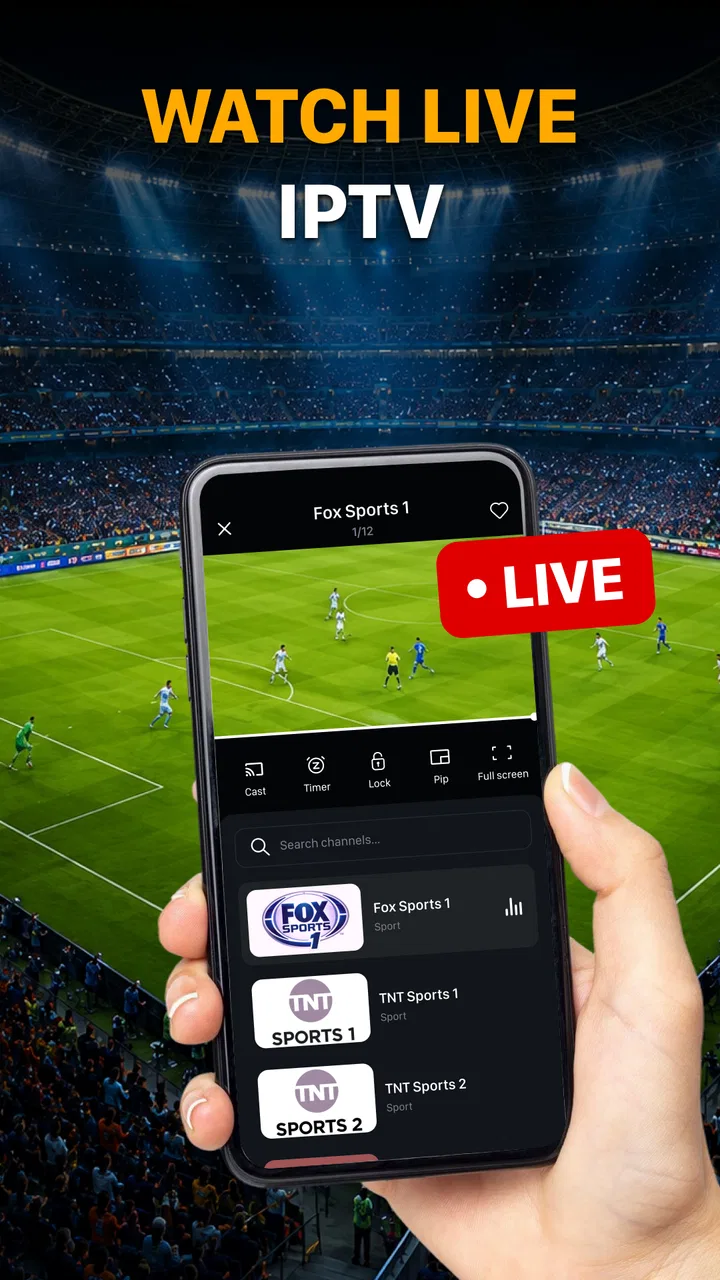
Live TV: Smart IPTV Player
- 0.0
- Rating
- 500.00K
- Installs
- Free
- Price

 Analysis by App-foxy
I approached Live TV: Smart IPTV Player as a practical tool for one particular job: taking an M3U playlist and turning it into something I can watch on a phone or tablet without dealing with a full television setup. That narrow purpose is important. This is not presented as a service that supplies channels by itself; it is an IPTV player for working with a playlist you already have. Once I understood that starting point, the app felt much easier to judge.
Created by Storm Tech Lab, the app sits in the video players and editors category and is free to use. Its audience is broad enough to carry an Everyone content rating, and it is available for devices running Android 7.0 or later. The current release is version 1.0.1, while its public launch date is July 27, 2026. Those details matter less than the everyday workflow, though: obtain a legitimate M3U playlist, bring it into the player, find the channel you want, and watch.
From an M3U playlist to a usable viewing routine
I find it useful to think of an M3U playlist as the start of a viewing routine, not just a file to import: keep the source somewhere easy to retrieve, then test a familiar channel before settling in. That quick check can tell you whether the list is ready for the moment you need it. From there, the next question is how to make a long playlist manageable without adding needless setup.
You May Also Like

 Blood Strike: 2.5 Anniversary
Blood Strike’s Loadouts Turn Every Drop Into a Tactical Gamble
A close look at Blood Strike’s custom loadouts: how fast access to signature weapons reshapes its battle royale rhythm, rewards preparation, and narrows the gap between fights.

 Pandora - Music & Podcasts
Pandora’s Music Is Easy to Start, but Harder to Recover
Pandora’s strength is its low-effort path from a seed to a station. Its weak spot is how much confidence it asks you to place in connection, setup, and quiet recovery.

 8 Ball Pool
 Is Built on Rivalries, Rematches, and Routine
A close look at the rivalries, rematches, shared routines, and unanswered safety questions that turn a quick pool match into a persistent mobile community.

 Samsung Music
’s Quiet Strength Is Playing What You Already Own
Its reach comes less from spectacle than from dependable access to a personal library. That simplicity is both the app’s strongest retention engine and its ceiling.

 AccuWeather: Weather Radar
AccuWeather Review: A Quick, Clear Forecast for Everyday Decisions
For everyday plans, the best forecast is the one you can understand quickly. AccuWeather makes rain timing, radar, and local conditions easy to act on, with a few trade-offs.

 Hill Climb Racing
Why Hill Climb Racing Still Turns Crashes Into One More Run
A tiny car, a bumpy hill and one more upgrade: Hill Climb Racing keeps resurfacing because its simple chaos makes every near-miss feel personal.
More From Our News Desk
View All News


The starting condition: you need a playlist first
The first thing I would tell a friend is not to install this expecting a ready-made television package. The app’s role begins when an M3U playlist is available. That playlist may come from a provider, an organization, a personal media setup, or another legitimate source. Without one, there is nothing meaningful for the player to display.
This distinction prevents a common misunderstanding. A player and a channel service are different parts of the chain. Live TV: Smart IPTV Player handles the viewing side, while the playlist supplies the channel entries and stream destinations. If your goal is to browse a built-in catalog with no setup, this is probably the wrong kind of app. If you already have an M3U file or playlist address and simply want a straightforward way to use it, the fit is much better.
I also recommend preparing the playlist before opening the app. A clean source with sensible channel names and grouping will be easier to navigate than a messy list containing duplicates, outdated entries, or unclear labels. This is one of the less obvious trade-offs of playlist-based television: the player can make playback convenient, but it cannot turn poor source organization into a well-curated guide.
Step one: bring the source into the player
The practical handoff happens when the playlist moves from wherever it is stored into the application. A local M3U file and a remotely hosted playlist are different starting points, so I would first identify which one I have and keep the source accessible on the device. That small preparation can save time, especially when a playlist was sent through email, messaging, cloud storage, or a provider account.
Once the playlist is available, the next task is to add it through the app’s playlist workflow. I would check the spelling of any address carefully and avoid treating a failed import as a playback problem. A single missing character, an expired source, or an interrupted connection can prevent the list from loading even when the player itself is working properly.
This is also where privacy and trust deserve attention. An M3U playlist can contain access details or private service addresses, so I would only use sources I recognize and would avoid pasting confidential information into unfamiliar places. The app is free, but free access to a player does not make every playlist source safe or legitimate.
Step two: turn a long list into a viewing choice
After the playlist is loaded, the experience becomes less about installation and more about navigation. A typical list may contain many entries, and the useful result is not merely seeing them appear; it is reaching the desired channel without repeatedly guessing which item will work. I found that the best habit is to use channel names and groups as navigation aids rather than opening entries at random.
If your list is large, I would begin with a small test: choose one channel that should be familiar and see whether it opens. That test separates three situations that can otherwise look identical. The playlist may have imported correctly but contain unavailable streams, the network may be struggling, or the selected channel may simply be offline. Testing a known entry first gives you a clearer baseline.
Another useful workflow is to decide what you actually need before loading an enormous list. If the purpose is watching a few local stations, a focused playlist may be easier than a sprawling collection. A smaller source reduces scrolling and makes the app feel more direct. The trade-off is that you may have to maintain separate sources for different purposes instead of keeping everything in one place.
Step three: move from selection to playback
The outcome I wanted from the app was simple: select a channel and get to the stream with as little distraction as possible. That is where its uncomplicated positioning works in its favor. It is not trying to replace a full entertainment hub with recommendations, a large on-demand library, or a complicated social layer. The central action remains choosing a playlist entry and watching.
In an everyday situation, I could imagine using it while traveling with an Android device, provided I had a legitimate playlist and a suitable connection. I would load the list before settling down, test one or two channels, and then keep the device ready for a live broadcast. The app is most useful in that kind of prepared routine, where the source is already known and the viewer wants a player rather than another subscription interface.
There is a practical lesson here: live playback depends on more than the application. A channel can fail because its source is unavailable, because the network is inconsistent, or because the playlist points to an old destination. I would not judge the whole experience from one dead channel. Instead, I would test several entries and look for a pattern. If every entry fails, investigate the playlist or connection. If only one fails, the issue may be limited to that stream.
The handoffs that decide whether the experience feels smooth
The app sits in the middle of several handoffs. First, a provider or source must deliver a usable M3U playlist. Next, the device must pass that playlist into the player correctly. Then the player must request the selected stream through the network. Finally, the stream has to remain available long enough to watch. A problem at any point can feel like an app failure even when the cause is elsewhere.
This makes Live TV: Smart IPTV Player a better match for users who are comfortable with a little troubleshooting. You do not need to be an expert, but you should be willing to check whether the playlist is current, whether the address was entered correctly, and whether other channels behave differently. Someone who wants television to work with no setup at all may prefer a conventional streaming service with its own catalog and account-based interface.
The handoff between devices is another consideration. A playlist that works on one device may still need to be added separately elsewhere, depending on how you manage it. I would keep the original source in a secure, easy-to-reach location rather than relying on memory or screenshots. That makes reinstalling or setting up another compatible device less frustrating.
What the result feels like in normal use
When the source is healthy and the setup is correct, the result is pleasantly direct. I can treat the application as a viewing window for my own M3U collection instead of navigating through layers of unrelated content. That simplicity is its main appeal. The app does not need to convince me to watch something; it needs to help me reach the stream I already chose.
It is also a reasonable option for people who want to keep their live channels organized around a playlist rather than around a platform’s own interface. This can suit a household with a specific collection of channels, a viewer who travels with a prepared source, or someone testing a legitimate IPTV arrangement on an Android device. The free price lowers the barrier to trying the player, although the quality of the final experience still depends heavily on the source.
The audience size suggests that the app is not an obscure experiment: it has passed the threshold of around 500 thousand installs. I would still avoid interpreting that as a guarantee that every playlist will work perfectly. Install figures tell me that many people have tried it, while the actual result in my case depends on the playlist, the device, and the connection used for playback.
Where the flow breaks
The biggest weakness is built into the playlist model. If the M3U source is disorganized, outdated, or unreliable, the app cannot fully repair the experience. I may see channels that no longer open, names that are difficult to interpret, or a list that takes unnecessary effort to manage. That is not a reason to dismiss the player, but it does mean the app is not a complete television solution on its own.
There is also friction for viewers who expect a polished electronic program guide, personalized recommendations, or a unified library of live and recorded content. A dedicated streaming platform will usually be better for those needs because it controls both the catalog and the presentation. Live TV: Smart IPTV Player is more flexible in its relationship with playlists, but that flexibility transfers more responsibility to me.
Network changes can expose another weak point. A playlist may behave well on a home connection and become unreliable on a congested public network. Before blaming the app, I would try a different channel and, if practical, compare the behavior on another connection. This simple check helps distinguish playback instability from a bad entry in the list.
Compatibility is straightforward but not universal: the app requires Android 7.0 or newer. That covers many devices, but anyone using an older phone or tablet should check the operating system before planning a setup. The Everyone rating also makes it broadly approachable from a content-classification perspective, but that should not be confused with a promise that every playlist source is appropriate or trustworthy.
Small habits that make the workflow better
My first practical tip is to keep a backup of the original playlist source before changing anything. If a list stops working after an edit, you can return to the known version instead of trying to reconstruct it. My second is to test a familiar channel immediately after importing. That gives you a quick answer about whether the basic chain from source to playback is functioning.
A third tip is to separate diagnosis from browsing. When playback fails, do not spend several minutes opening unrelated entries. Check one known channel, then one or two others from different groups. This creates a useful pattern: a single failure points toward an entry problem, while widespread failure suggests the source, network, or import step needs attention.
I would also avoid treating a huge playlist as automatically better. More entries can mean more choice, but they can also create clutter and make the app feel slower to use simply because finding the right channel takes longer. For a daily routine, a well-maintained list with clear labels may be more valuable than an enormous source that is rarely cleaned up.
Who should use it, and who should choose something else
I would recommend this app to someone who already has a legitimate M3U playlist and wants a focused Android player without paying for the player itself. It makes sense for viewers who value control over their source, people who understand that IPTV setup includes a little maintenance, and anyone who prefers a direct channel-selection workflow over a heavily branded entertainment service.
I would steer a less technical friend toward another option if they want an instant catalog, one account, dependable channel availability, and built-in guidance. The same applies to viewers who mainly want movies or shows on demand rather than live streams from a playlist. In those cases, a conventional streaming app may involve fewer handoffs and fewer opportunities for a source to fail.
Families should also think about how they will manage the playlist itself. The app’s Everyone rating is reassuring for broad accessibility, but the content shown comes from the selected source, not from the player’s label. I would review the playlist before handing the device to a child and would treat the source as the part that determines what appears on screen.
My recommendation after following the full path
After looking at the complete journey—from obtaining an M3U playlist to selecting a channel and dealing with failed streams—I see Live TV: Smart IPTV Player as a useful specialist rather than an all-purpose television replacement. Its appeal is the clean division of labor: I bring the source, and the app gives me a place to play it. That can be exactly what I need when the playlist is reliable.
The free model makes experimentation easy, and the current version, 1.0.1, keeps the product’s identity clear: a focused player for live television through M3U playlists. I would install it when I already know where my channels come from and want a simple viewing route on a compatible Android device. I would skip it when I expect the app itself to provide channels, repair broken sources, or deliver the polished guidance of a complete streaming platform.
My final advice is to judge it by the quality of your own source and by your tolerance for basic troubleshooting. Start with a legitimate, manageable playlist, test a familiar channel, and keep the original source available if you need to rebuild the setup. When those conditions are in place, Live TV: Smart IPTV Player does its narrow job well enough to be worth trying. It is not magic, but for the right workflow, that straightforwardness is precisely the point.
FAQs for Live TV: Smart IPTV Player
01What is Live TV: Smart IPTV Player, and how does it work?
Live TV: Smart IPTV Player is an IPTV viewing application designed to play television channels and other video content from a user-provided playlist. It generally works as a media player rather than a channel provider, meaning you usually need to add a compatible M3U playlist, Xtream Codes details, or another supported source. The available channels, quality, language, and reliability depend on that external provider.
02Does Live TV: Smart IPTV Player include free live TV channels?
The application should not be considered a guaranteed source of free television channels. In most cases, it provides the player interface while users supply their own legal IPTV subscription or playlist. Some providers may offer free channels, but availability can change and may vary by country. Before downloading or paying for a service, check exactly what content is included and make sure the source has proper distribution rights.
03Is Live TV: Smart IPTV Player available for Android and iOS devices?
Compatibility depends on the specific version published by the developer and the device you use. Before installing, review the official Google Play Store or Apple App Store listing for supported operating-system versions, device requirements, and regional availability. Features may also differ between Android and iOS, particularly regarding playlist importing, background playback, casting, downloads, and access to system-level media controls.
04What internet connection is recommended for smooth streaming?
A stable internet connection is essential because Live TV: Smart IPTV Player streams content rather than receiving it through a traditional antenna. Standard-definition channels may work acceptably on a modest connection, while HD and 4K streams require considerably more bandwidth and stability. If playback frequently buffers, test another network, reduce video quality when possible, close competing apps, and remember that problems may originate from the IPTV provider.
05Is Live TV: Smart IPTV Player safe and legal to use?
The player itself can be used legally, but the legality of the content depends on the playlists, subscriptions, and streams you add. Use only reputable services that clearly have permission to distribute their channels and programs. Download the app from an official store, review its requested permissions, avoid suspicious playlist links, and never provide payment or login details to unverified providers. Privacy and content availability may vary by source.
Pros
- Supports multiple IPTV playlist formats for flexible viewing.
- Clean interface makes channel browsing quick and straightforward.
- Works with live channels
- movies
- and series in one player.
- Offers a convenient full-screen viewing experience on mobile devices.
- Playlist-based setup avoids dependence on a specific TV provider.
Cons
- The app does not provide TV channels or streaming content itself.
- Playlist setup may be confusing for users unfamiliar with IPTV services.
- Playback quality depends heavily on the provider and internet connection.
- Some playlists may contain broken
- outdated
- or unavailable channels.
- Features and compatibility can vary between Android and iOS devices.

Live TV: Smart IPTV Player
Gallery